
TradingView quickstart
Your first TradingView alert in 10 minutes
Copy your TheConnector account webhook URL, paste it into TradingView, send a test signal, then check its status in the dashboard.
Technical details
Statuses and expiry stay explicit.
Webhook ingress, ACK, Delivered, BrokerRejected, Expired, ttl_ms, no replay, symbol mapping and routing are useful once the first test path is clear.
The access key is the path segment. Account/platform can be resolved from that key; add account/platform in JSON only for shared routing setups.
Do not put ttl_ms in the alert: current WebhookIngress does not parse it. If realtime dispatch misses the window, the command is expired, not replayed.
A rejected, expired or offline command is visible in Transactions with the reason.
Generator
TradingView message accepted by WebhookIngress
Paste this exact JSON in TradingView's Message field. The Webhook URL field receives the account URL copied from the dashboard.
Dry-run validator
Validate syntax without sending a webhook
Current contract
Fields WebhookIngress reads today
action
Required. Also accepted: side, command, type, msgtype.
symbol
Required for trading commands. Also accepted: pair, ticker, instrument, market, asset.
risk
Numeric risk passed to the robot. Use volume/lot/lots/fixedVolume for exact lots.
sl / tp
Current names are sl and tp, with aliases stoploss/stop_loss and takeprofit/take_profit.
price
Required only for pending orders: buystop, buylimit, sellstop, selllimit.
source
Optional label, useful to identify TradingView or Pine Script in diagnostics.
id / streamId
Optional but recommended for diagnostics. The server generates one if absent.
account / platform
Optional when using the per-account webhook URL copied from the dashboard.
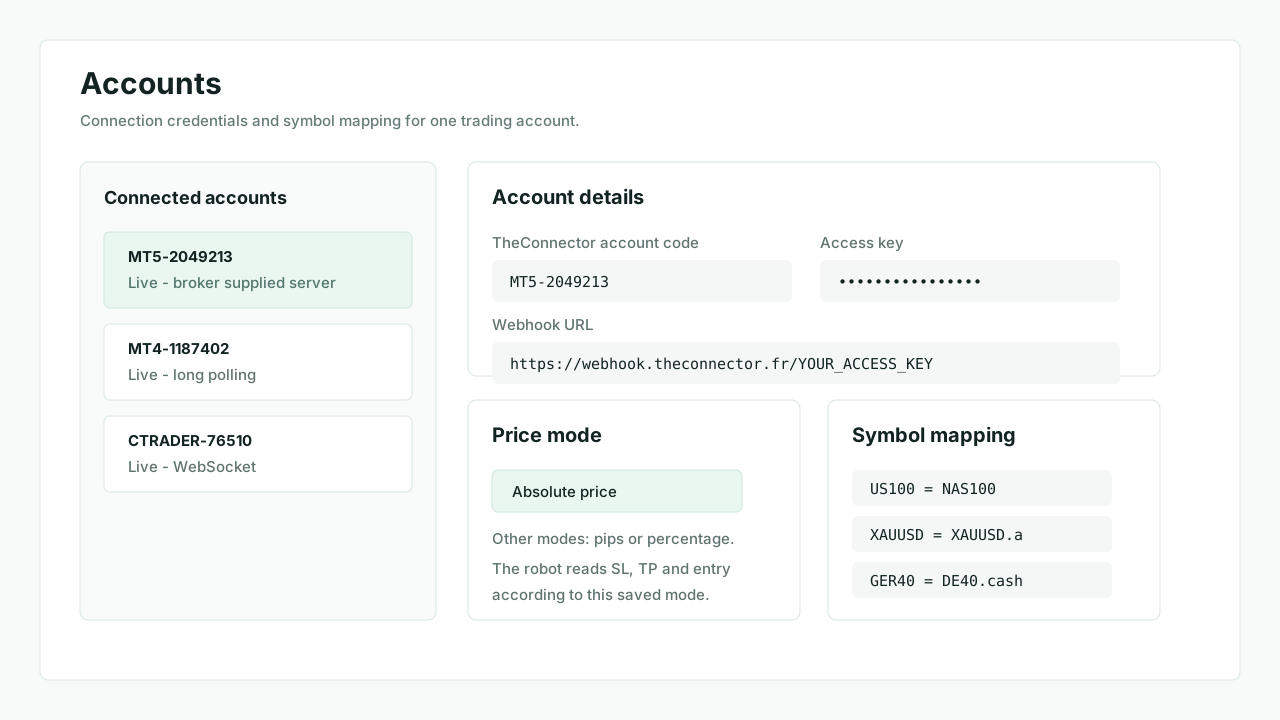 1. Copy the account URL
Keep the access key and account together. Mixing them is the most common rejection cause.
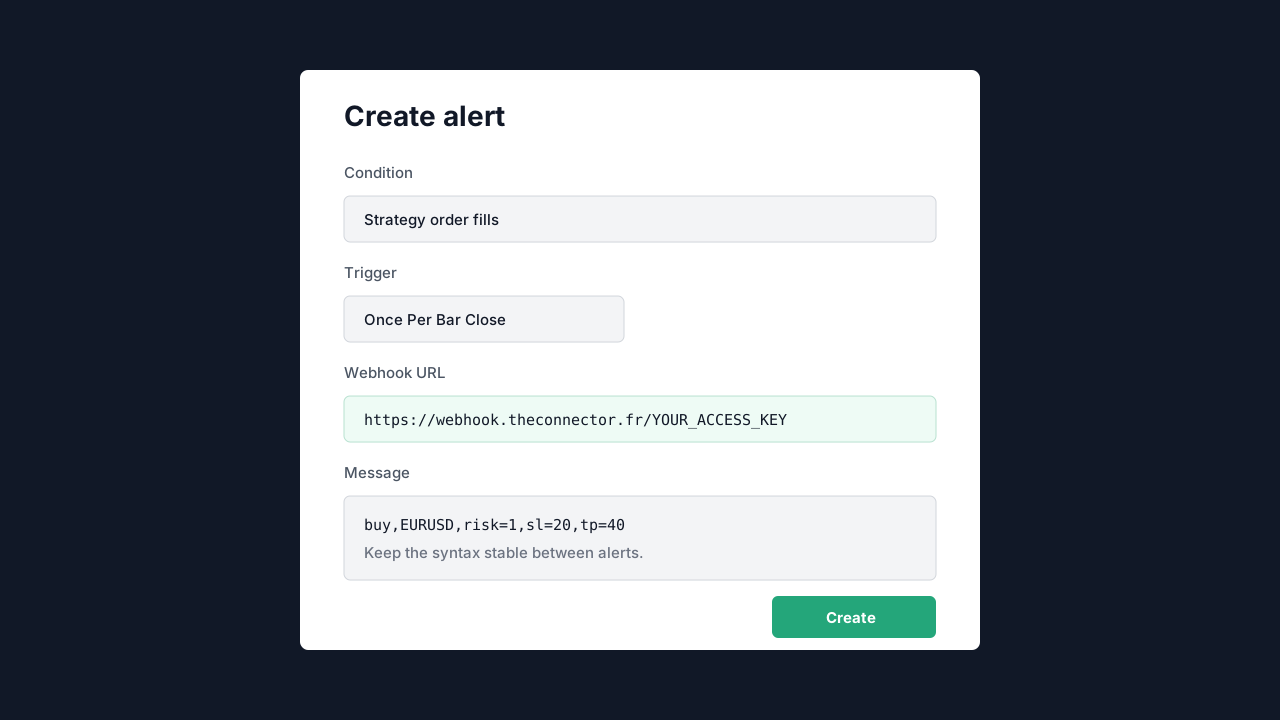 2. Paste URL + JSON
Use once per bar close for a first test, then inspect the Transactions timeline.
Pine Script
Examples that match the current parser
//@version=5
indicator("TC first alert", overlay=true)
longSignal = ta.crossover(ta.sma(close, 9), ta.sma(close, 21))
if longSignal
    message = "{\"action\":\"buy\",\"symbol\":\"" + syminfo.ticker + "\",\"risk\":1,\"sl\":20,\"tp\":40,\"source\":\"TradingView\",\"id\":\"" + syminfo.ticker + "-" + str.tostring(time) + "\"}"
alert(message, alert.freq_once_per_bar_close)//@version=5
indicator("TC fixed lots", overlay=true)
shortSignal = ta.crossunder(ta.ema(close, 12), ta.ema(close, 26))
if shortSignal
message = "{\"action\":\"sell\",\"symbol\":\"" + syminfo.ticker + "\",\"volume\":\"0.10\",\"sl\":25,\"tp\":50,\"source\":\"TradingView\",\"id\":\"fixed-" + str.tostring(time) + "\"}"
alert(message, alert.freq_once_per_bar_close)//@version=5
indicator("TC pending", overlay=true)
breakout = close > ta.highest(high, 20)[1]
if breakout
message = "{\"action\":\"buystop\",\"symbol\":\"" + syminfo.ticker + "\",\"price\":" + str.tostring(high, format.mintick) + ",\"risk\":1,\"sl\":20,\"tp\":45,\"source\":\"TradingView\",\"id\":\"pending-" + str.tostring(time) + "\"}"
alert(message, alert.freq_once_per_bar_close)