
Documentation
TradingView webhook format
Configure the TradingView webhook URL, the alert payload and the command aliases accepted by TheConnector.
TradingView
TradingView webhook format
Configure the TradingView webhook URL, the alert payload and the command aliases accepted by TheConnector.
Step 1
Create account
Step 2
Connect broker
Step 3
Paste webhook
Delivery status
Received → Routing → ACK → Delivered
Goal
TradingView must send a command that TheConnector can route to the correct MT4, MT5 or cTrader account.
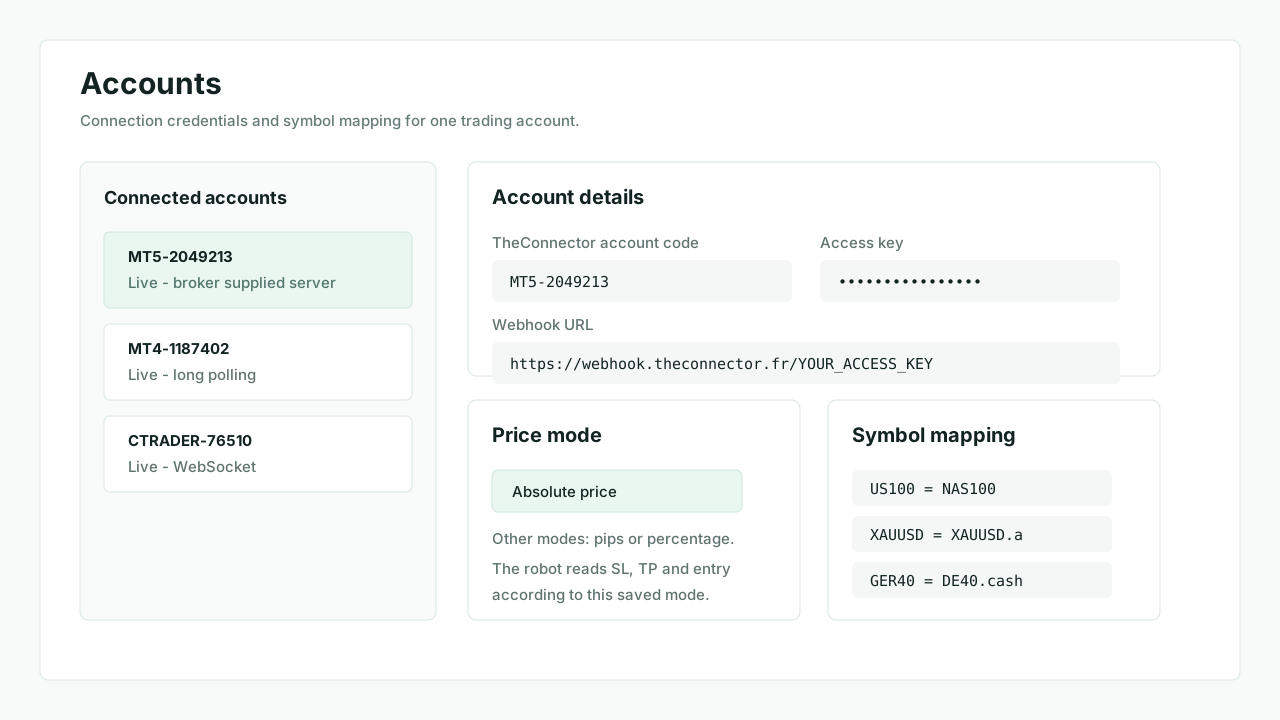
1. Copy the account webhook URL
Use the URL shown in Accounts.
- Recommended format:
https://webhook.theconnector.fr/YOUR_ACCESS_KEY - One trading account uses one access key
- Keep the webhook URL and access key from the same account
2. Use a compact one-line command
Market order examples:
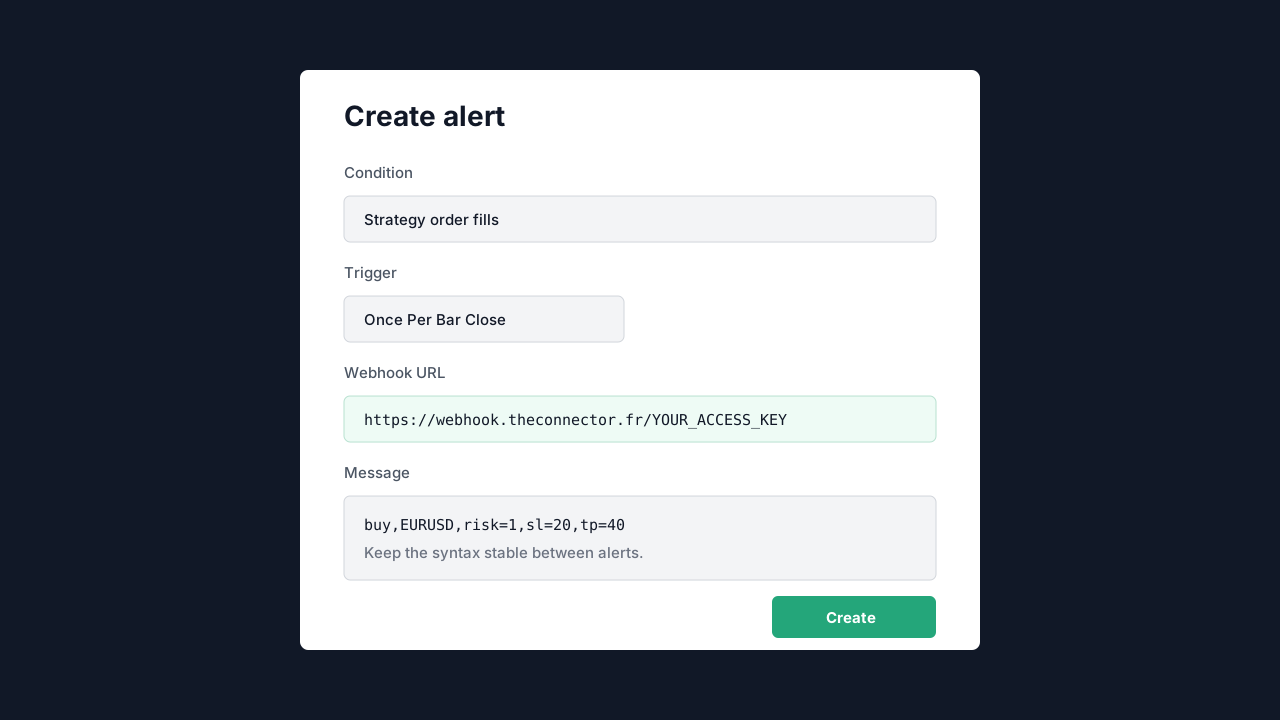
buy,EURUSD,risk=1,sl=20,tp=40long,XAUUSD,risk=2,sl=15,tp=30sell,GBPJPY,risk=1,sl=25,tp=50short,NAS100,risk=1,sl=40,tp=80
Accepted market aliases include buy / long and sell / short.
3. Pending, close and cancel commands
Examples:
buylimit,EURUSD,price=1.08050,risk=1,sl=1.07850,tp=1.08450buystop,EURUSD,price=1.09100,risk=1,sl=1.08700,tp=1.09900selllimit,GBPJPY,price=199.100,risk=1,sl=199.700,tp=198.200sellstop,GBPJPY,price=198.250,risk=1,sl=198.800,tp=197.400closelong,EURUSDcloseshort,GBPJPYcloselongshort,EURUSDcancellong,EURUSDcancelshort,GBPJPY
Snake case variants such as buy_limit, sell_stop, close_long and cancel_short are normalized by TheConnector.
4. JSON payloads are accepted too
Examples:
{"action":"buy","symbol":"EURUSD","risk":1,"sl":20,"tp":40,"source":"TradingView","id":"tv-eurusd-001"}{"action":"closelong","symbol":"EURUSD","source":"TradingView","id":"tv-close-eurusd-001"}{"action":"buylimit","symbol":"EURUSD","price":1.08050,"risk":1,"sl":1.07850,"tp":1.08450,"source":"TradingView","id":"tv-pending-eurusd-001"}
5. Field meaning
symbolis the TradingView symbol before broker mappingriskis forwarded to the robotslandtpare stop loss and take profit valuespriceis only needed for pending orders
6. Price mode matters
The account price mode defines how the robot reads sl, tp and price.
Absolute pricePipsPercentage
7. TradingView alert dialog
- Fill
Webhook URL - Keep the message on one line
- Use a stable syntax between alerts
- Prefer
Once Per Bar Closewhen the strategy expects a closed candle
8. Validate the first alert
- Confirm the account is
Live - Open
Transactionswhen the active plan includes it - Otherwise use
Ordersand the robot panel as first feedback sources - Check whether the webhook was received, acknowledged by the robot or rejected